
Employee Monitoring Software for your Office
Net Monitor for Employees Pro
Stop employees wasting work time on illegal activity and keep records of such attempts.
Download the Free Trial now.
No credit card or registration is needed to try the application.

| | Monitor Employee Activity |
| | Prevent Data Breaches |
| | Save Money on Employee Retention |
| | Administer Employee Computers |
| | Use Advance Admin Tools |
| | Deatiled Employee Activity Reporting |
| | Record Employee Computer Screens |
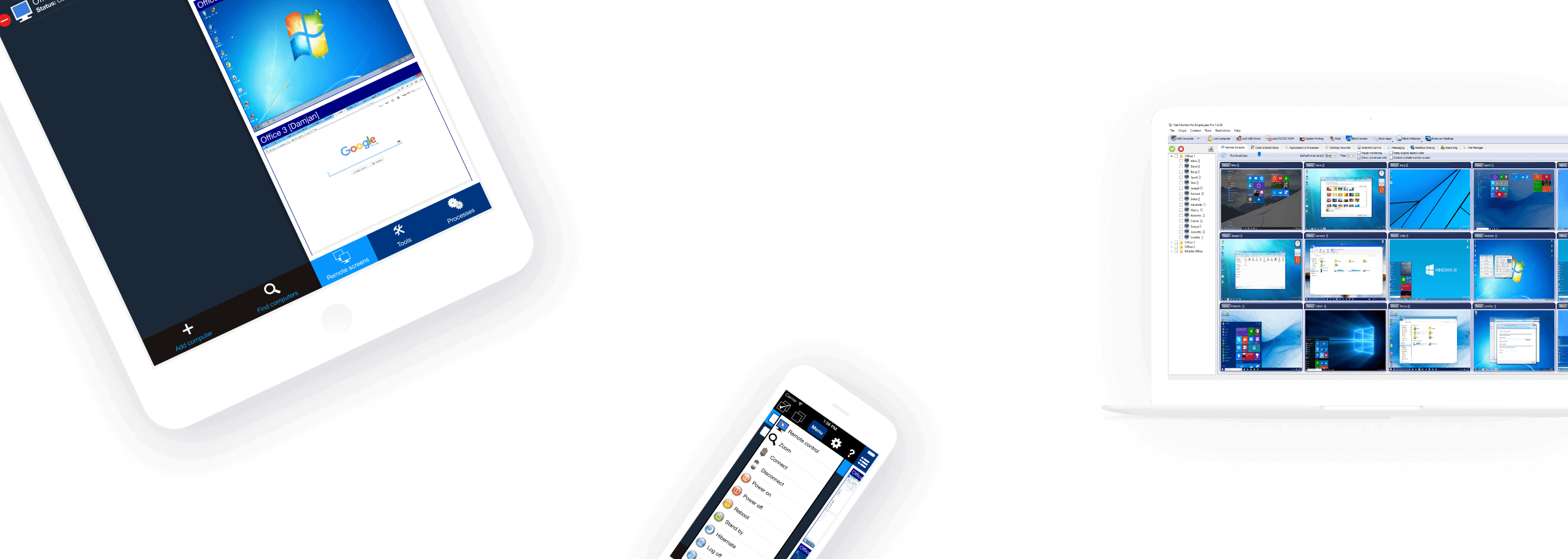

Runs on desktops, tablets, and mobile phones
Download free trial now to immediately increase personnel productivity and protect your company from fraudulent activity.
Download Now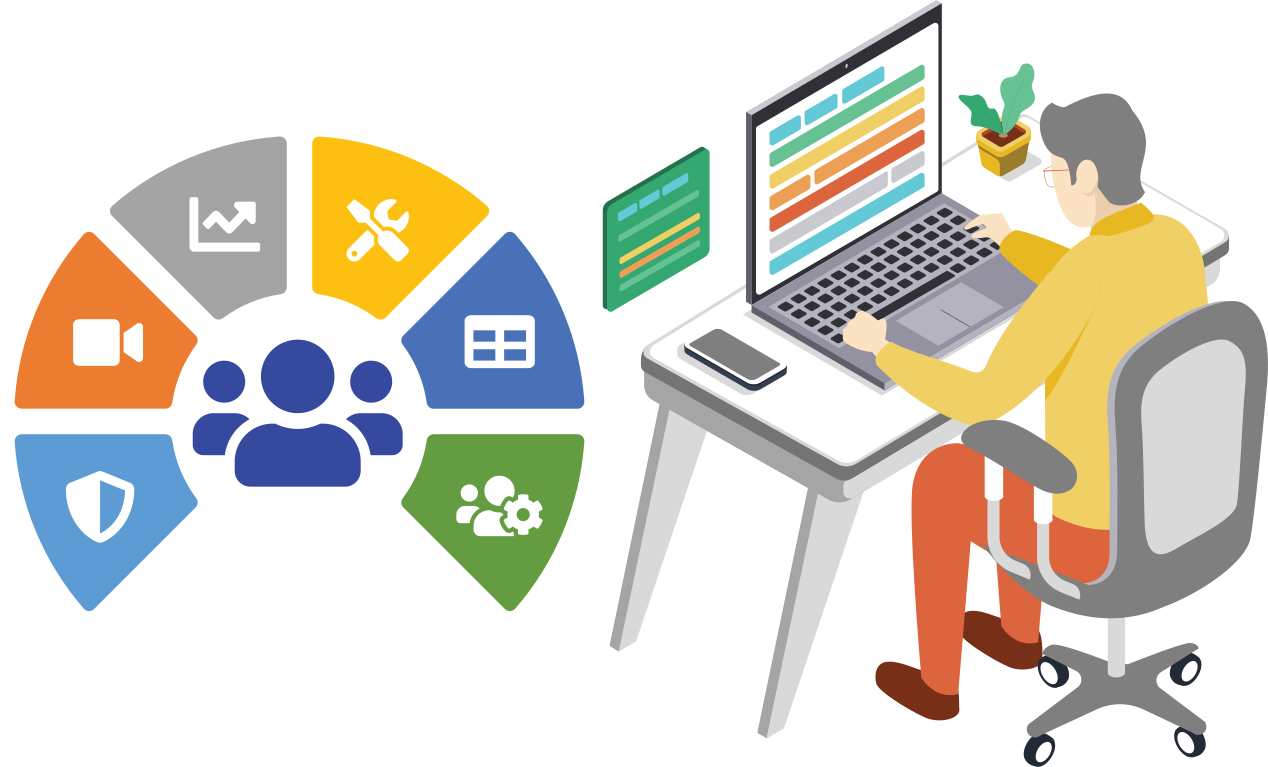
Employee Monitoring Benefits
Employee Monitoring is an established method used by many companies to help prevent and detect data breaches that can cost their business a fortune.
It is an effective way to boost employee engagement and optimize working processes.
Employee monitoring gives companies an overall picture of how work is done in and out of the office.
Employee Monitoring Software Will Help You
Employees may become disengaged when working remotely.
By using employee monitoring software an organization can lower risk and become more profitable.
Gathered data can be used for analyzing bottelnecks, unusual patterns, and other potential issues.
All this can help managers to improve the business process to gain productivity.
Introducing Net Monitor for Employees Pro
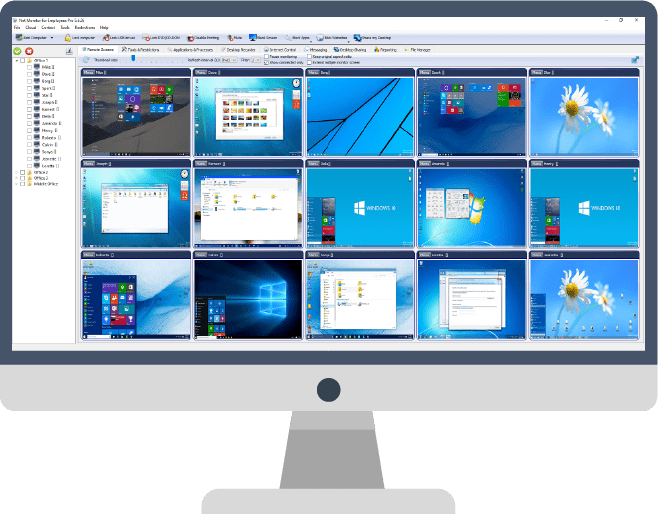
The Net Monitor for Employees Pro is an employee monitoring application that allows managers and business owners to track their employee activity, work engagement, performance, and productivity.
If you want to monitor all employee activity, you need nothing more than installing our software
You don't need to register or enter a credit card - just download and install - no questions asked.
Download NowComputer Monitoring, Staff Activity Tracking, Desktop Recording, Reporting...
Monitoring your staff, preventing insider threats or just helping your employees can be difficult without proper computer monitoring and tracking software.
Luckily Net Monitor for Employees Pro contains a lot of features that will help you to track all your employee activity. Here are some of those features:
Employee Activity
Monitoring
Supervise employee activity by watching and recording live computer screens, web browsing history, applications use, keystrokes pressed...
Use stealth mode if needed to hide your presence.

Computer Screen
Recording
Record your employee live computer screens even when you are away and you are not monitoring.
You can watch recordings later at any time.
Activity Logging
and Reporting
Log detailed employee behavior. Logging can be done in the background even when you are not present.
Create reports that contain data for visited web sites, application usage, keylogger...

Applications and
Internet Blockings
Prevent employee to access certain web sites or start forbidden applications.
Forbidden web browsing attempts are logged and will appear in reports.

Cloud Supported Employee Monitoring
Our Cloud solution allows you to monitor computers that are not directly connected to your network.
This can be very useful if your employees are traveling or they are working from home.
Using a Cloud connection you will be able to monitor them form any location in the world where the Internet connection is available.
Learn moreBuy Net Monitor for Employees Pro
Commercial Licenses - Perpetual - License never expires
This license is permanent (never expires) and is intended to be used on a local network (LAN, WLAN, VPN) in commercial organizations.
Site
License
- Monitor unlimited amount of computers
- All computers must be located in one building
- Unlimited Admin Consoles
Educational Licenses - Perpetual - License never expires
This license is permanent (never expires) and is intended to be used on a local network (LAN, WLAN, VPN) in educational and other non-profit organizations.
Monitor Student Computers
Affordable Pricing for Schools
You can use our computer monitoring software also in school to monitor your student activity in the classroom or just block applications and internet access.
We have prepared an attractive pricing schema for your school or school district/campus.
This discounted offer is valid also for other non-profit organizations.
Educational Site License
- Monitor unlimited amount of computers owned
by one school - All computers must be located in one building
- Unlimited Admin Consoles
School District License
- Monitor unlimited amount of computers in all schools
owned by one school district - All computers must be located in one country
- Unlimited Admin Consoles
Cloud Licenses - Monthly or Yearly Subscription
Monitor and Control Computers over the Internet
Cloud license allows you to monitor your computers over the Internet or other Internet-connected networks.
This is possible because the application uses our Cloud server. The license is subscription based.
Cloud license can be also used on a local network (LAN, WLAN, VPN).
Cloud license can be used in commercial or educational organizations.
One Computer
Monthly Subscription
- Monitor one computer for one month using Cloud server
(Increase quantity to buy a license for more computers) - Unlimited Admin Consoles
One Computer
Yearly Subscription
- Monitor one computer for one year using Cloud server
(Increase quantity to buy a license for more computers) - Unlimited Admin Consoles
Employee Monitoring Mobile App for iOS and Android
Monitor your employees also when you are away
With our mobile application for iOS and Android, you can monitor your employee activity also when you are out of the office.
Cloud connection allows you to observe employee activity anywhere in the world using your Internet connection.
 Google Play App Store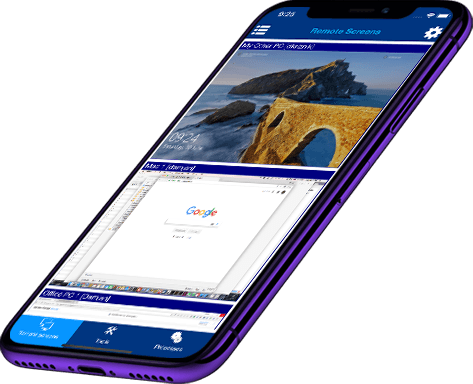
Try Our Employee Monitoring Software For Free
You can try our application for free. The trial version is fully functional and works for 30 days. Don’t worry, you don’t need to register or use your credit card to download and try the software.
Free Download
You can try our application for free. The trial version is fully functional and works for 30 days.
DownloadFree Support
Support is free. You will find a lot of answers in our FAQ section too. Feel free to send us a message.
Contact UsBest Value For Money
We offer a lifetime perpetual licenses, Site licenses, Educational pricing...
Buy NowDownload Employee Monitoring Software
Full Downloads - Recommended
WindowsDownload full package for MS Windows
macOS / OS XDownload full package for macOS / OSX
Linux (Ubuntu, Fedora, Zorin, OpenSUSE...)Download full package for Linux
Smartphones And Tablets App Store Links
iOS
iOS App Console - App StoreDownload iOS Console
Android App Console - Google PlayDownload Android Console
Frequently Asked Questions About Monitoring
Categories
Purchasing
We sell this software worldwide using our secure online store where you can select various payment methods like a credit card, PayPal, wire transfer...
The secure online store is available here:
Yes, we accept Purchase Orders.
Please send us a message where you mention the number of licenses you want to purchase, and we will send you detailed information on how to send a PO.
Troubleshooting
The problem is usually caused by firewall or antivirus software.
Windows automatically installs and enables firewall.
Make sure that port TCP 4495 is open on employee PCs firewall.
You can try to temporary disable a firewall on employee PC to see if this solves the connectivity problem.
Note that you may have more firewalls installed. Some antivirus software automatically install the firewall. In this case you have to open port on all firewalls.
If you are still facing problems try to use IP instead of hostname when adding employee PC to the console.
The "Not authenticated" status (a lock sign) indicates that the password entered during agent installation is not the same as the password used when adding the employee PC in the console.
We suggest that you choose Properties in the console (for specific employee PC - click right mouse button) and enter the password again.
You can also check the agent's passwords by opening agent configuration utility using your password.
If you forgot your agent's password, please uninstall the agent using our installation package and install it again.
Sometimes problem appears because of the console's configuration file corruption. In such case you will have to delete the following folder (and add PCs again):
C:\ProgramData\Net Monitor for Employees Pro\users
Please note that folder C:\ProgramData is hidden. You need to type it into Windows Explorer.
Our software does not open any secret doors or anything similar - it just allows you to monitor other PCs and this is enough for antivirus and antispyware software production companies to flag it as dangerous.
The only way to avoid this is to put our software on exclusion list.
Help
To monitor your employees over the Internet (e.g. when they are working from home) you need to use a Cloud Connection.
You can read more about Cloud Cconnection here:
We offer permanent (one-time payment) and subscription-based Cloud licenses.
The permanent license can be used to monitor employees in your local network (LAN, WLAN, VPN).
Cloud licenses additionally allow monitoring over the Internet.
You can access the online manual here:
Ready to start monitoring your employees?
Buy this application now. You will never regret your decision.
Buy Now