Screen recording / Practical guide
Employee Screen Recording Software: Capture and Review
Test the complete path from a readable capture to the right historical interval and a protected, usable review copy.
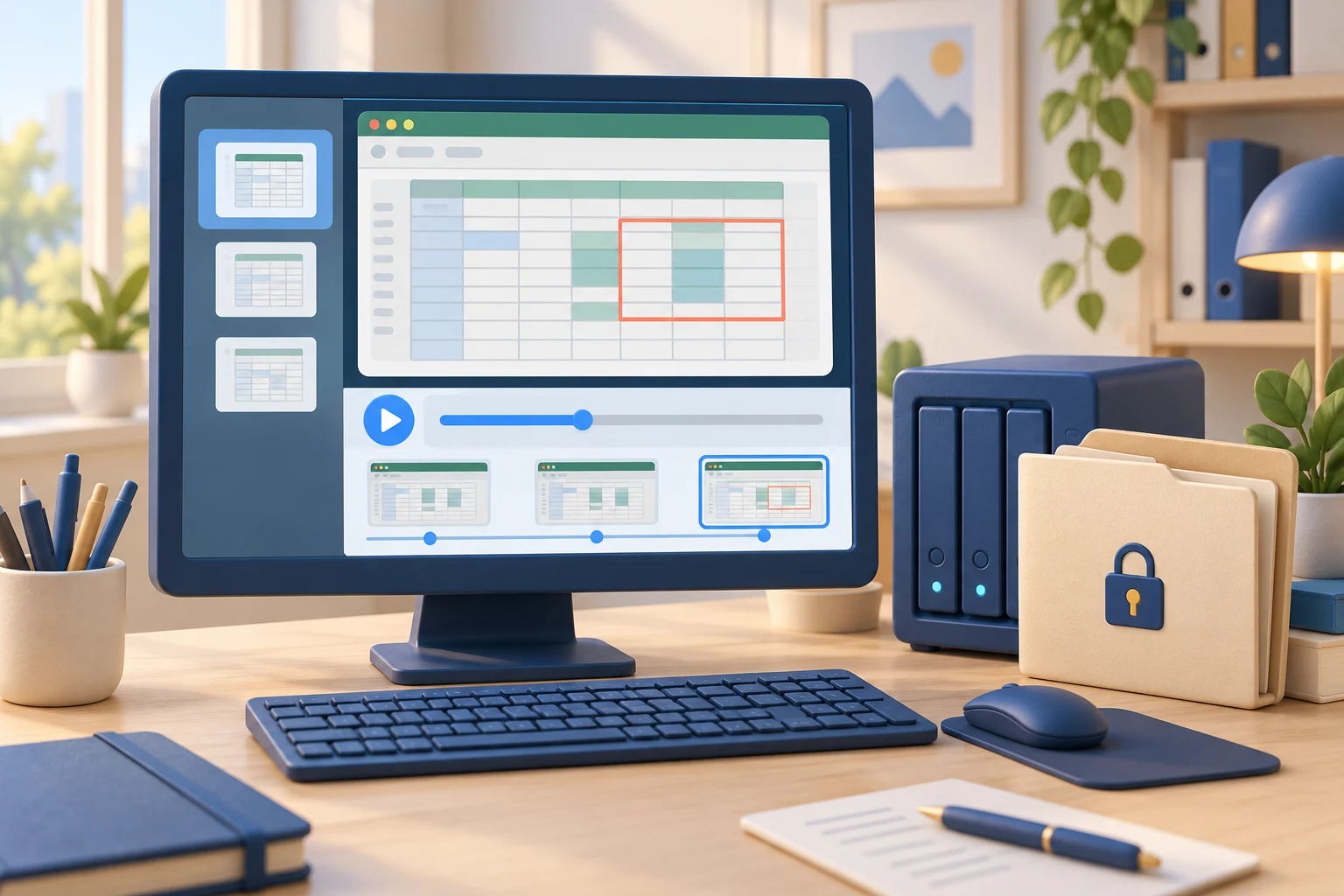
A customer reports an incorrect change after the employee has closed the application. Employee screen recording software can preserve the desktop sequence for later review, if recording was enabled at the time. The priority is useful playback: the right computer, the right interval, readable detail, and an archive authorized reviewers can retrieve.
For small and midsize businesses, that distinction matters. You do not need more vague activity scores or a weekly promise that work is on track. You need to see what happened on company devices, investigate exceptions quickly, and take action before lost productivity or risky behavior becomes a larger operational cost.
01Capture and retrieve useful employee screen recordings
Screen recording is not simply a video capture feature. In a business setting, it is a way to preserve desktop activity for productivity review, security investigations, training verification, and policy enforcement. The useful question is not whether a system can record a screen. Most can. The question is whether the recordings provide enough context to support a decision.
Test the recording configuration on a known task before relying on it. Capture a short sample, retrieve it, and confirm that text and application changes are readable. Check timestamps and the selected desktop. An unreadable recording or a gap in capture cannot be repaired by increasing retention later.
Define a known test sequence before recording: open a sample document, change a harmless value, and close the dialog. Note the computer, user, display, and time. Playback should show those steps clearly enough for a reviewer who did not watch the live session.
Audio recording may also be appropriate for selected roles and company-owned workstations, particularly where internal policy, consent requirements, and business need support it. It should not be enabled casually. Recording scope needs to match the risk being managed.
02Test capture detail and recording scope
Use Monitors to choose the required display and check capture Quality and Refresh interval (s) against the sample. Small text must remain readable. A longer capture interval can miss a short dialog; a clear frame proves only what was visible when it was captured.
In Desktop Recorder, confirm Use the same settings for all computers before changing scope. Apply settings sends configuration without forcing Start or Stop. Test on the intended devices, then verify a newly recorded sample rather than assuming the edited profile has reached every agent.
Screen recording also protects employees when an accusation is wrong. A complete record can show that someone was working in a legitimate business application, resolving a customer issue, or following an approved procedure that was not visible in a simple time report. Oversight works best when it is based on verifiable facts rather than suspicion.
For remote and hybrid teams, this is especially valuable. Managers cannot rely on casual floor visibility, and IT cannot assume every device is operating within policy just because it connects to company systems. Recording establishes a reviewable trail across locations.
03Find and preserve the relevant recording interval
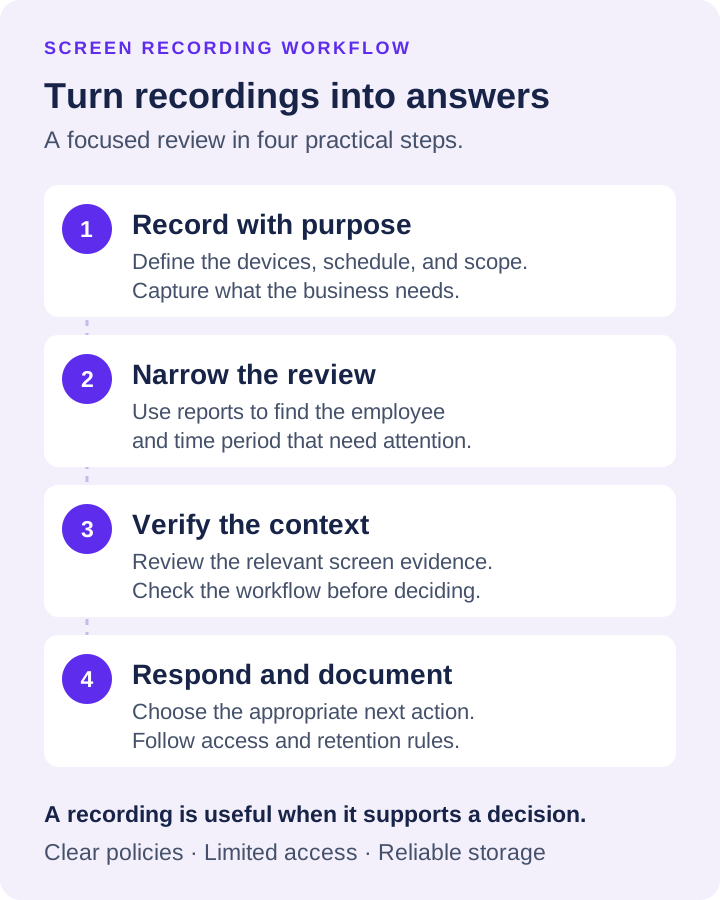
Illustrative review: a customer reports an incorrect order at 14:20. Confirm the device and the report’s time zone, select the relevant user and date, and review the interval before and after the reported action. Keep any clock difference visible in your notes.
The Recordings browser groups items by User → Year → Month → Day. Date/Time identifies an item, while the player timeline spans the selected filter’s recordings. Check adjacent files and any visible gaps; a file boundary is not necessarily the end of the event.
Preserve the original before preparing a review copy. Save as video... combines selected recordings in time order; agent-only recordings must first be downloaded. Encrypted material needs the matching key. Document sources and selection so an exported clip is not mistaken for the complete archive.
When an incident is reported, narrow the interval with activity reports, then review the recording before and after the relevant action. Preserve the original file and document the computer, time range, source location, and reviewer. A visible action can add context; the recording alone does not prove that a transfer completed or establish intent.
04Build a Recording Policy Before Deployment
Screen recording has legitimate business uses, but it also requires clear governance. A company that installs monitoring software without defined rules creates avoidable employee-relations and legal risk. The goal is to protect company operations, not to create uncontrolled surveillance archives.
Start with a written policy that explains which company devices are monitored, what information is collected, why it is collected, who may access it, and how long it is retained. Employees should receive notice according to applicable federal, state, and local requirements. Multi-state employers should have counsel review their approach, particularly when audio recording, personal devices, unionized workforces, or more restrictive state privacy rules are involved.
Access should be limited by role. A department manager may need productivity reports and selected recordings for their own team. IT may need broader access during an incident. Not every supervisor needs unrestricted access to all employee activity. Restricting access helps maintain confidentiality and limits misuse.
Retention also deserves a real decision. Keeping every recording indefinitely raises storage cost and exposes the business to unnecessary data risk. Shorter retention may be appropriate for routine productivity records, while incident-related footage can be preserved under a documented hold. Your retention period should reflect operational need, storage capacity, internal policy, and any compliance obligations.
05Storage Determines Whether Recordings Remain Useful
Recording is only valuable if evidence remains available when you need it. Local-only storage can be simple for a small office, but it becomes fragile when devices fail, employees work remotely, or administrators need centralized access. Distributed teams need a storage plan that does not depend on one workstation remaining online and intact.
Choose software that supports the storage methods your organization can manage. Centralized recording repositories give IT a consistent place to retrieve evidence and apply retention rules. Cloud-compatible storage can support remote endpoints and reduce dependence on office infrastructure, provided permissions, encryption, and access controls are configured correctly.
Net Monitor for Employees Pro supports recording storage through SMB, FTP, SFTP, WebDAV, Amazon S3-compatible storage, Google Cloud Storage, and Azure Blob Storage. That flexibility matters because a five-person office and a 200-person hybrid business may have very different infrastructure, budgets, and administrative capabilities.
Do not treat cloud storage as automatic security. Use dedicated credentials, least-privilege permissions, protected administrator accounts, and a process for reviewing who can retrieve or delete recordings. Test restoration and playback as well. A recording archive that cannot be searched, accessed, or played during an investigation is just an expensive collection of files. Use the screen recording storage sizing guide to turn measured recording sizes, retention and extra copies into a capacity plan.
06How to Roll Out Employee Screen Recording Software
A controlled rollout produces better results than installing agents everywhere and reviewing random footage. Begin with the business problem you are trying to solve. It may be time theft in a remote department, repeated use of prohibited applications, visibility into a sensitive workflow, or investigation support for insider-risk events.
Run a capture-to-retrieval acceptance test: record the known sequence, find the correct user/date, play the relevant interval, and retrieve a usable copy using an authorized reviewer’s access. Test the intended destination and encryption-key recovery separately. Record failures as well as successful playback.
Check retention against an actual review requirement. Confirm Delete recordings older than (days) and any delete-after-download option before relying on an agent copy. Preserve incident material under the approved procedure; copying a clip does not establish that every related source remains protected.
Finally, create an escalation path. Define who reviews alerts, who approves access to recordings, when HR is involved, and when IT should apply technical controls. This prevents inconsistent enforcement and ensures evidence is handled responsibly.
07Make Oversight Produce Action
Employee screen recording should not turn managers into full-time video reviewers. The objective is to find exceptions, verify facts, and correct problems quickly. Use reports to narrow the time period and user, then use recordings to confirm what occurred. When a pattern is confirmed, respond with the appropriate measure: coaching, training, a policy reminder, access restriction, application blocking, or a formal investigation.
The strongest monitoring program is visible, documented, and tied to business operations. Employees should understand that company devices are managed, work activity may be reviewed, and security rules are enforceable. That clarity discourages misuse while giving responsible employees a consistent standard.
Download the free trial and test employee screen recording software against a real operational question in your environment. The useful result is not more footage. It is faster answers, enforceable controls, and a clearer record when your business needs to act.