Remote work / Practical guide
Remote Employee Monitoring Software: Deployment Guide
Plan remote employee monitoring software deployment with connection, sleep, reconnect, recording and storage checks for company computers outside the office.
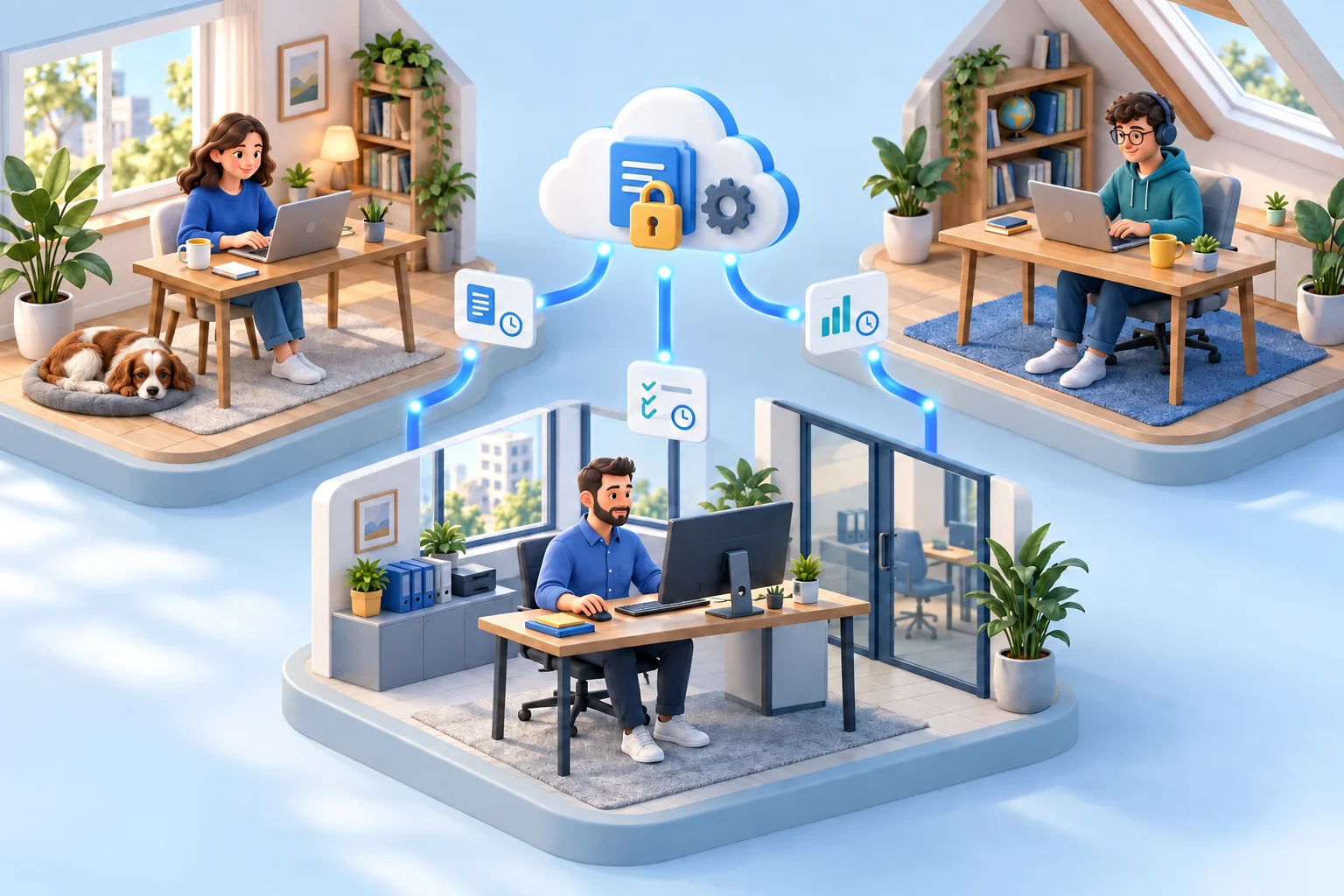
Remote employee monitoring software must work around home networks, travel, and changing schedules. A laptop that is unreachable may be asleep or disconnected rather than unused. Reliable remote oversight starts by distinguishing connection availability from employee activity, then checking which records remain available when the computer reconnects.
For small and midsize businesses, visibility is not optional just because staff work from home, travel, or split time between locations. Company-owned endpoints still contain company data, access company systems, and consume company payroll. The right system makes that activity visible while giving authorized administrators practical control over the computers they manage.
01Test off-network monitoring before rollout
Build a test record for a representative company laptop: operating system, network, selected connection method, collection settings, storage destination, expected result and observed result. Repeat the checks on approved home or travel connections. The following is an acceptance plan, not a guarantee that every action works offline.
- Office baseline: confirm the intended computer and user, readable screen updates and one approved support action. Keep a known event and its time for the report-retrieval check.
- Home network: repeat the same checks through the configured connection. Follow the documented Cloud setup and licensing requirements or your approved direct-network design; an office-only result does not validate remote access.
- Sleep or disconnection: record when live access becomes unavailable. Do not classify that interval as employee inactivity. Check what records were already downloaded and what is still unavailable.
- Reconnect: verify the correct device returns, refresh the relevant report and compare the known event with the available records. Record gaps and test actual behavior; do not assume buffering or automatic recovery.
- Recording destination: test a new recording, upload where configured, retrieval and playback from an authorized workstation. A successful live connection does not prove that a network share or cloud destination is reachable.
Record failures separately: connection, collection, upload, retrieval and playback are different stages. Assign the failed stage to an owner and repeat that test after the fix. Keep time zones consistent and separate a missing live view from a missing historical record.
Use hybrid-work oversight for responsibilities across office and home days, and RDP session monitoring when multiple user sessions share a host.
02What remote employee monitoring software should show
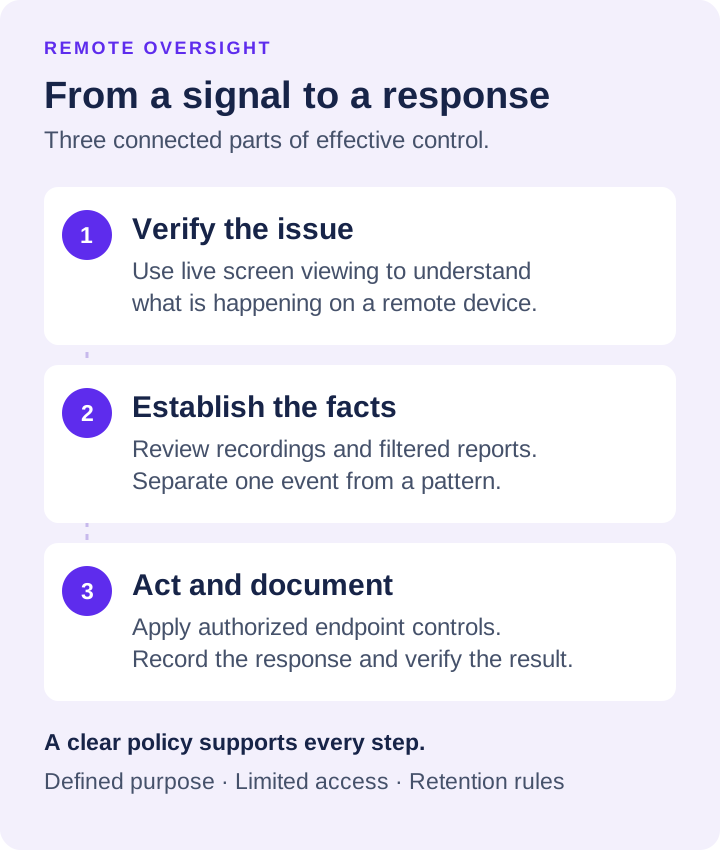
A useful platform starts with live visibility. Screen viewing allows an administrator to see what is happening on a remote computer as it happens. This is valuable when resolving support tickets, confirming whether an employee can access a required system, or checking a suspected policy issue without waiting for a report to run.
Screen recording provides the historical record. When a complaint, data-loss concern, or productivity question arises, recorded desktop activity shows the sequence of events. Audio recording can add context where business calls, training sessions, or workflow verification require it. Recording settings should be planned carefully so storage use, retention periods, and employee notice requirements match the organization’s policies.
Activity logs fill in the broader picture. Website history, application use, running processes, and keystroke records can show where time went and whether prohibited tools were used. The point is not to read every log line. It is to filter the information by employee, device, date, application, website, or event and focus on exceptions that require management attention.
Test a company laptop away from the office using the documented Cloud connection setup. Net Monitor for Employees Pro requires a Cloud account and the relevant subscription-based Cloud license for Internet monitoring. Confirm live access, reconnect behavior, and report retrieval on the networks your team actually uses.
Reports must be usable in a real investigation
Raw monitoring data is not a management system. Reports must answer basic questions quickly: Which devices were active? Which websites consumed work time? Which applications were launched? When did a potentially risky event occur? Can the administrator preserve the record for an HR review, security investigation, or audit?
Filtered reports create that chain of evidence. They reduce the time spent searching through activity history and help managers distinguish an isolated event from a recurring pattern. This matters when disciplinary action, access changes, or policy enforcement must be supported by documented facts.
03Monitoring without endpoint control leaves a gap
Visibility tells you what happened. Endpoint controls help stop it from happening again. That distinction matters when an employee installs prohibited software, visits high-risk websites, or stores business files in the wrong location.
Test the required support action on the home connection, not only in the office. Check its scope in the endpoint-control guide and verify the result on the selected computer.
Keep the connection plan separate from the recording-storage plan. Check where records are written, what happens when a destination cannot be reached, and what can be retrieved after reconnection. Review activity against the employee's agreed schedule and time zone. Missing connectivity alone is not evidence of inactivity or a policy violation.
Remote reboot, shutdown, wake, and logoff controls also reduce routine support delays. They are simple features with practical value when devices are distributed across homes, branch offices, and travel locations. Administrators should retain control of company equipment regardless of where it is physically located.
04Protect recordings and logs as business records
Monitoring information can be sensitive. Screen recordings may capture customer details, internal financial data, credentials, or confidential project work. Treat monitoring archives as protected business records, not as casual files stored wherever space is available.
Keep recording access, retention and retrieval appropriate to the stated purpose. Follow the external-storage guide for supported destinations and platform limits instead of treating a storage-provider list as proof that a recording will be available.
The best choice depends on who needs access, where the business operates, how long records must be retained, and what compliance obligations apply. Restrict administrative access, set retention rules, and verify that recordings can be retrieved when needed. A recording that cannot be located during an investigation has little value.
05Set clear rules before deploying monitoring
Monitoring software is most effective when employees understand that company devices are managed assets and that use is subject to policy. Written notice, acceptable-use rules, and a clear explanation of what is monitored reduce confusion and help establish a defensible operating standard.
The exact policy should reflect applicable federal, state, local, union, contractual, and privacy requirements. Audio recording and monitoring of personally owned devices can carry additional restrictions. Employers should obtain legal guidance where needed, especially when staff work across multiple states. Monitoring should be proportionate to the business risk and limited to legitimate company purposes.
Managers also need guidance. Access to live screens, recordings, and keystroke data should not become a substitute for competent supervision. Use monitoring to investigate specific issues, verify operational performance, protect data, and identify trends. Do not turn every dashboard into a reason to micromanage productive employees.
06A practical rollout for small and midsize businesses
Start with a limited group of company-owned computers and define what success looks like. It may be reducing nonbusiness web activity, identifying unauthorized software, improving support response time, or creating an audit trail for sensitive departments. Configure the reports and alerts around that outcome rather than collecting every available data point on day one.
Next, test live viewing, recording quality, report filters, storage delivery, and endpoint controls. Confirm that administrators can locate a specific event quickly and take appropriate action from the same management console. A trial should prove operational value, not just demonstrate features.
Net Monitor for Employees Pro can be evaluated through a fully functional, no-registration free trial, giving IT teams a direct way to test screen monitoring, activity logging, recording, reporting, and remote endpoint controls in their own environment. Test it against real workflows and real devices before committing to a wider deployment.
The right system should make managers faster, not busier. When activity records, live visibility, and direct endpoint controls work together, remote oversight becomes a routine business process: verify the facts, address the risk, document the response, and keep work moving.