Activity tracking / Practical guide
Employee Activity Tracker: Build a Clear Work Timeline
Use an employee activity tracker to connect user, device, application and idle records. Check timeline gaps before drawing conclusions about a working day.
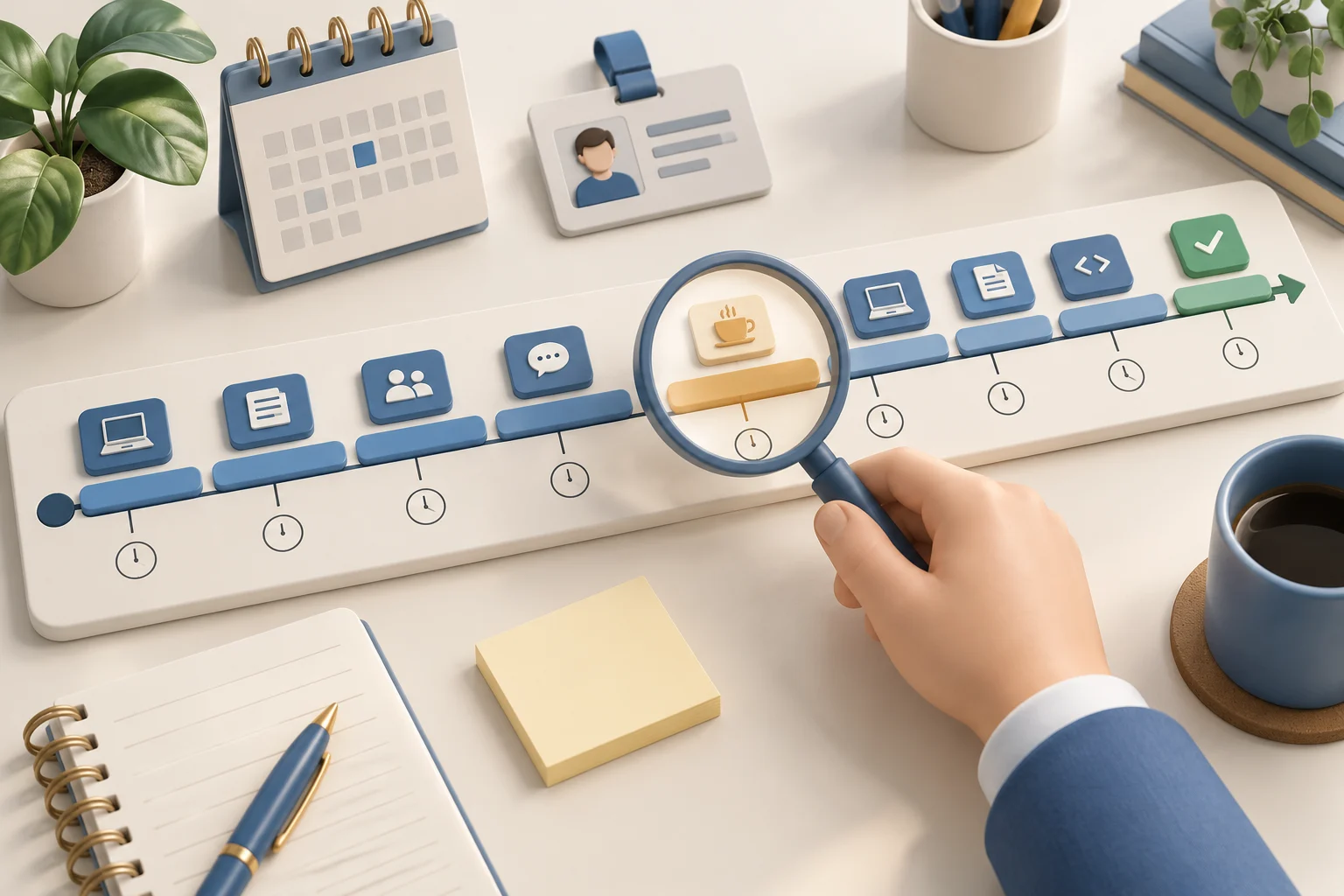
An employee activity tracker helps answer a specific question: how did a working day unfold on company computers? Sign-ins, active and idle periods, application use, and website records provide pieces of that timeline. Read them together to distinguish a delayed handoff, a technical interruption, and a recurring policy issue.
For small and midsize businesses, this visibility is practical. A few distracted users, unauthorized applications, or unmanaged remote devices can create real labor costs and security exposure. The goal is not to bury managers in data. It is to identify what requires action and give authorized staff the tools to act from one administrative console.
01What an employee activity timeline can reveal
Basic timekeeping tells you when someone signed in. It does not tell you whether a user spent the morning in approved business applications, streaming media, transferring sensitive files, or working around company restrictions. An effective employee activity tracker closes that gap with evidence tied to a specific user and device.
Live screen viewing is valuable when a supervisor needs an immediate answer. It can confirm whether a remote employee is handling a customer request, stuck in an application, or using an unapproved service. Screen recording adds context that a simple activity log cannot provide. When a repeated error, workflow delay, or suspected data-handling issue must be reviewed, a recording shows what happened and when.
Website, application, process, and keystroke logs provide the broader pattern. Reports can reveal excessive time on nonbusiness websites, use of unauthorized software, repeated access to risky domains, or unusual activity outside normal working hours. The value comes from filtering the record by employee, date, device, application, or website rather than reading a raw stream of events.
Audio and keystroke capture can be appropriate for selected business cases, but they require restraint. These features create sensitive records and should be enabled only where the operational or security need is clear. Monitoring settings should match the role, the company device policy, and applicable employment, privacy, and labor requirements.
02Read an annotated employee activity timeline
Start a review with one user, one computer, and a defined time range in the activity reports. Check logon and logoff events, then compare active and idle periods with application and website usage. Match timestamps before drawing conclusions, especially when an employee uses more than one device.
For example, a gap between two application sessions may reflect a customer call or an approval delay. Compare the interval with the ticket or task record and ask for context. Export the relevant report and note the explanation. Activity tracking establishes a sequence; it does not automatically convert idle time into lost work or prove a file transfer.
Illustrative case: a support employee uses PC-17 during a morning shift. The times below are a review example, not a product-generated composite report. Keep each source separately and normalize its time zone before comparing it.
- 09:00 — logon. The user activity report records a session beginning. This establishes a session boundary, not the first completed task.
- 09:05–09:30 — application use. A business application appears in the report. Compare the interval with ticket updates; an application being present does not establish uninterrupted attention.
- 09:30–09:45 — recorded input inactivity. The employee identifies a customer call, corroborated by the call record. Preserve the original idle interval and add the explanation rather than altering the source.
- 09:45–10:00 — records unavailable. Mark coverage as unknown until the device and collection status are checked. Do not silently turn missing records into idle minutes.
- 10:00 — work resumes on PC-22. Verify the user and session. Do not add overlapping device intervals together as if they were consecutive working time.
A shared login identifies an account, not conclusively the person using it. Check shift records and obtain an explanation when attribution is uncertain. Keep an unresolved question open instead of assigning activity to the nearest employee name.
Save the selected period using Export... where supported, then keep your interpretation in the approved review record. The idle-time guide explains inactivity; the productivity guide connects the timeline to completed work.
03Use monitoring to solve specific business problems
The most useful deployment starts with a defined management question. Do not turn on every collection option simply because it is available. Select the evidence and controls that address a measurable risk.
For productivity management, begin with application and website reports. Compare activity across a team, role, or shift to identify recurring distractions and bottlenecks. A high amount of time in a nonbusiness application may point to time theft, but it can also reveal a poorly designed workflow or a tool employees need to complete a task. Review the context before making a disciplinary decision.
For remote-work oversight, live screen viewing and periodic recordings help managers verify that company systems are being used as expected. They also expose training problems quickly. If several employees struggle with the same software screen or repeatedly abandon a process midway through, the issue may be a process failure rather than individual performance.
For security, watch for unauthorized programs, unfamiliar processes, unusual file activity, risky websites, and attempts to bypass restrictions. An insider threat rarely announces itself through one obvious event. A searchable activity record gives security staff a timeline to investigate unusual behavior and preserve evidence if an incident escalates.
For endpoint administration, use the platform to apply practical controls. Restrict removable devices where data removal is a concern. Transfer a needed file remotely instead of asking an employee to use personal email. Restart a problem device, run an approved command, or share a desktop session to resolve a support request faster. These functions reduce downtime while keeping administration under company control.
04Set rules before collecting data
Monitoring works best when employees understand that company devices and accounts are business assets subject to oversight. A written acceptable-use and monitoring policy should define which devices are covered, what activity may be collected, why the company collects it, who can access records, and how long records are retained.
Give special attention to remote and hybrid employees. Clarify whether monitoring applies only during work hours, whether personal use is permitted, and whether employees may use company equipment for personal accounts. A company can reduce unnecessary privacy exposure by focusing monitoring on company-owned endpoints, business accounts, and business hours where appropriate.
Access to recordings and reports should be limited. Managers may need productivity reports for their direct teams, while IT and security staff may require deeper technical logs for incident response. Not every supervisor needs access to keystrokes, audio, or full desktop recordings. Role-based access and a documented review process help prevent misuse of sensitive information.
Before rollout, have HR and qualified legal counsel review the policy, notice requirements, and consent obligations that apply to your workforce and locations. State laws, union agreements, customer contracts, and regulated data can change what is appropriate to collect and retain.
05Deploy the employee activity tracker in stages
A staged rollout produces cleaner results than a sudden company-wide surveillance program. Start with a pilot group of company-owned computers and a short list of objectives, such as reducing access to distracting websites, finding unauthorized software, or improving response time for remote support.
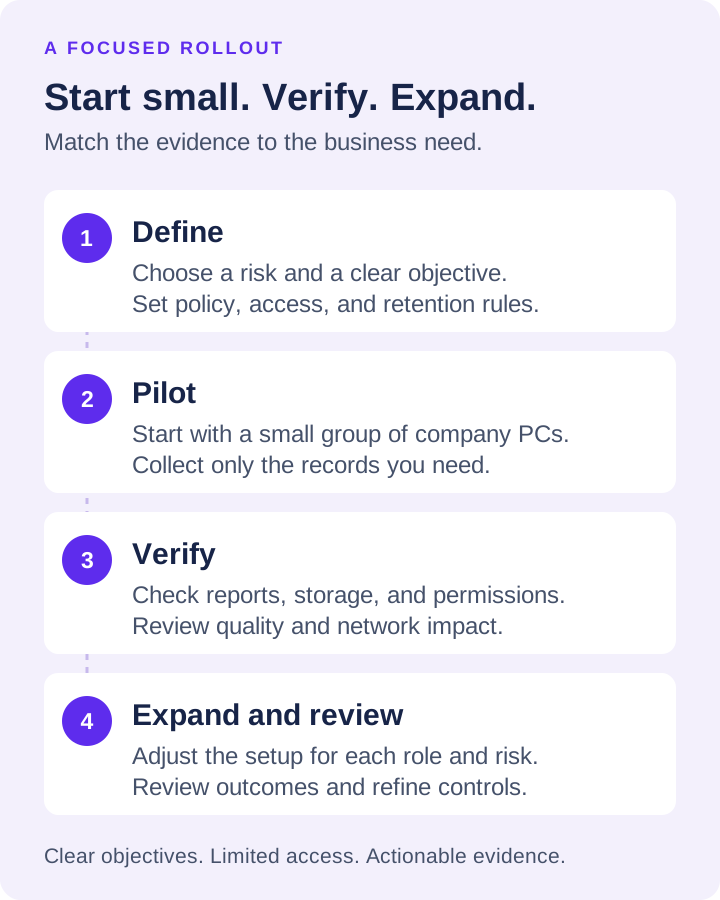
During the pilot, verify that reports identify useful patterns without creating needless noise. Check recording quality, storage capacity, network impact, and access permissions. Configure exclusions for approved business tools that may otherwise look unusual in a report. Establish a simple escalation path: who reviews an alert, what evidence is required, and when the issue goes to HR, IT, security, or a department manager.
Then expand by role and risk level. Finance, customer service, engineering, and traveling sales teams do not have identical monitoring needs. A customer-facing employee may require screen recording for quality review, while a finance user may require stricter controls over websites, applications, files, and removable devices. Match the configuration to the work being performed.
Net Monitor for Employees Pro combines live screen oversight, detailed activity records, remote controls, content restrictions, and flexible recording storage in one administrator-focused system. A fully functional trial lets IT verify compatibility, reporting quality, and control requirements on real endpoints before committing to licenses.
A useful monitoring program earns its place by producing decisions, not by collecting the most data. Start with the risk that costs your business time, money, or security, configure the evidence needed to address it, and give managers a clear path from visibility to corrective action.