Employee monitoring / Practical guide
How to Choose Employee Monitoring Software for SMBs
Compare employee monitoring software by business need, activity evidence, deployment effort and trial results. Build a practical SMB evaluation checklist.
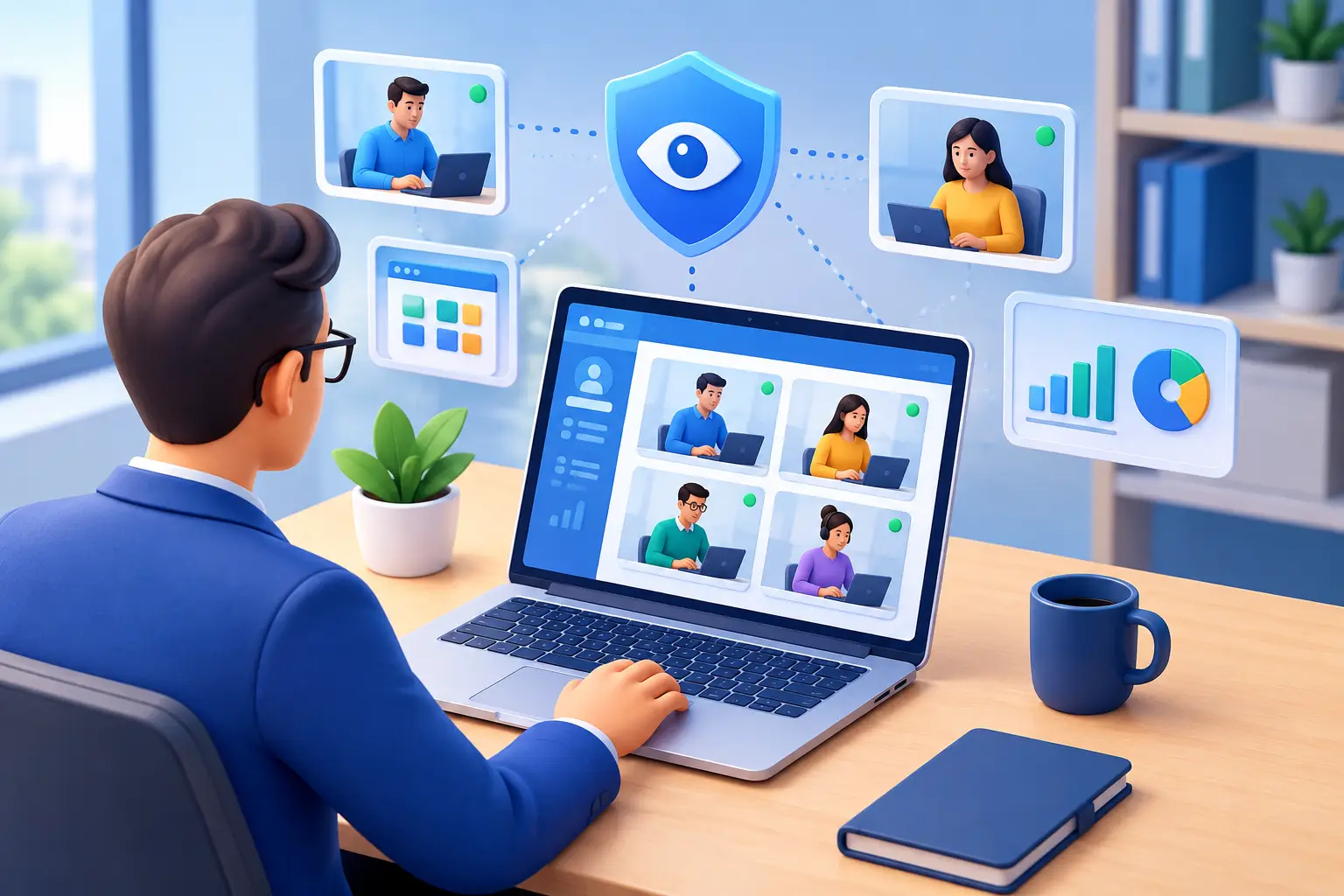
Choosing employee monitoring software starts with a management question: do you need to verify work activity, enforce an acceptable-use policy, or reduce IT support delays? Those goals require different evidence. This guide explains how to choose a balanced monitoring setup for a small or midsize business and test its value before expanding it.
These are not issues that should be managed by guesswork. Employee monitoring software gives managers and IT teams a factual record of how company devices are used, where time goes, and when intervention is required.
For a small or midsize business, visibility is not about watching every mouse movement for its own sake. It is about protecting paid work time, company data, and the computers employees use to perform their jobs. The right system should turn activity into evidence, then give administrators practical options to correct the problem.
01Choose employee monitoring software by business need
A basic time tracker can show when a user signed in. That is rarely enough to explain productivity problems, policy violations, or a possible insider threat. Effective monitoring should show what happened on the endpoint: which websites were visited, which applications and processes ran, what was typed when keystroke logging is authorized under company policy, and what appeared on the desktop.
Live screen viewing is especially useful when a manager or administrator needs to verify an issue immediately. It can reveal whether an employee is working in the required business application, stuck on a technical task, or using a company device for prohibited activity.
Screen recording adds the historical record. Instead of relying on a vague complaint or incomplete recollection, management can review the relevant time period and establish what occurred.
The difference matters during routine supervision as well as incidents. A filtered report can show excessive social media use, repeated visits to restricted sites, unapproved applications, or long periods of inactivity. It can also identify a workflow bottleneck. An employee may be spending hours in an outdated process not because of poor effort, but because they lack access, training, or an efficient tool.
Choose only the response needed for the verified issue. The endpoint-control guide explains scope and persistence; the policy guide covers collection and review boundaries. Test the proposed action without interrupting approved work.

02Build a software evaluation worksheet
Start with a decision the business needs to make. For each candidate, record the required evidence, the authorized reviewer and a pass/fail test. The following fictional worksheet shows three different requirements; a product does not pass merely because its feature list contains the right words.
- Explain delayed customer replies. The support manager needs a user-and-time activity report alongside ticket timestamps. Pass when the reviewer can locate a known delay and distinguish missing coverage from recorded inactivity. The ticket system supplies the outcome; the monitoring report supplies computer-use context.
- Resolve a stalled workstation. IT needs a readable live view and an authorized support action. Pass when a technician connects to a representative device, reproduces the symptom and verifies that the employee can complete the task afterward.
- Review a reported policy incident. An authorized investigator needs the relevant interval, its source and an export or retrievable recording. Pass when the reviewer can find the record, preserve the original and document what it does—and does not—establish.
Assign an owner and record setup minutes, retrieval time, missing records and follow-up work for each test. Repeat on the actual operating systems and networks you intend to use. A failed test is a question to resolve with the vendor, not a reason to enable every collection method.
Compare license and connection costs with storage, training and review effort. Use the employee monitoring software cost guide for current license examples and a worked 25-computer budget. Use the activity-timeline guide for interpreting records and the endpoint-control guide for scope and persistence. Keep the evaluation focused on a decision you can verify.
03Build a Policy That Supports Enforcement
Software does not replace a clear acceptable-use policy. Employees should understand that company-owned devices and networks are monitored, what types of activity may be recorded, who can access records, and how long data is retained. Clear notice reduces confusion and makes enforcement more consistent.
The policy should distinguish business oversight from personal surveillance. Define whether monitoring applies only to company-owned endpoints, whether off-hours use is permitted, and whether personal accounts or communications are off limits. It should also state the consequences of bypassing controls, installing unauthorized tools, transferring protected files, or using company equipment for prohibited activity.
Legal requirements vary by state, the type of data collected, whether audio is recorded, and where employees are located. Multi-state and remote teams can create additional obligations. Before enabling features such as audio capture, keystroke logging, or deep content recording, have qualified legal counsel review the policy and deployment. Technical capability is not the same as permission to use it in every situation.
Access to monitoring records also needs control. Managers may need productivity reports for their own teams, while only IT or security personnel should be able to retrieve recordings, change restrictions, or view sensitive logs. Role-based access, retained audit trails, and a defined escalation process help prevent monitoring data from becoming another internal risk.
04Use Reports to Manage Exceptions
The wrong approach is to judge employees by a single metric, such as hours logged or keyboard activity. Knowledge work includes reading, planning, calls, training, and problem-solving. A short report with context is more useful than an aggressive scoring system that encourages employees to look busy rather than produce results.
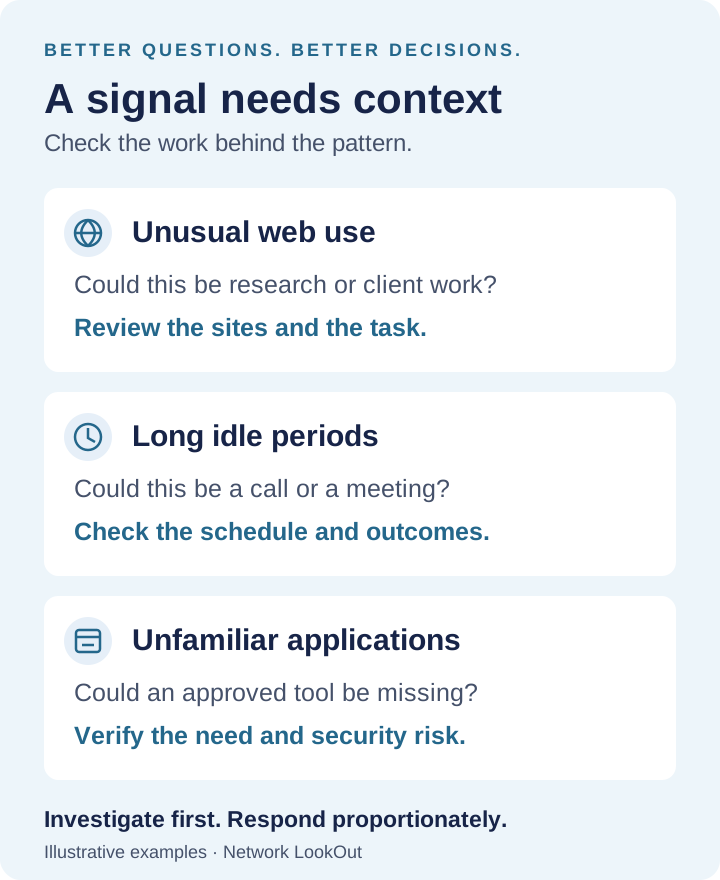
Use reports to find exceptions. Look for a sudden increase in non-work browsing, an application that should not be installed, unusual after-hours activity, repeated failed attempts to access restricted resources, or a major drop from an employee's normal work pattern.
Then verify the context. A marketing employee may legitimately use social platforms. A developer may need unfamiliar research sites. An exception is a reason to investigate, not an automatic verdict.
This approach protects good employees as well. If a team member is accused of wasting time, records can show whether the claim is accurate. If a system outage or slow application is causing delays, monitoring data can demonstrate that the problem is operational rather than individual performance. Facts improve management decisions in both directions.
05Keep Remote Endpoints Under Administrative Control
Remote work expands the perimeter. A laptop may be operating from a home network, hotel, client site, or personal internet connection. If administrators can only manage devices when they return to the office, security and support gaps remain open far too long.
Choose a system that supports monitoring and administration for off-network devices through secure cloud-based management. IT should be able to view activity, apply restrictions, transfer or retrieve files when authorized, restart systems, execute commands, and share a desktop for support without waiting for an employee to bring in the machine.
Recording storage deserves the same planning as monitoring. Video, audio, screenshots, and activity logs can grow quickly across dozens of endpoints. Determine retention periods by business need, available capacity, and policy requirements. Support for local network storage and controlled cloud destinations gives IT flexibility, but access permissions and encryption should be verified before records contain sensitive business data.
Network LookOut's Net Monitor for Employees Pro is designed for this combined requirement: direct live visibility and recording, detailed activity reporting, endpoint restrictions, and remote administration from one system.
For businesses evaluating employee oversight tools, a fully functional trial is the practical way to confirm that reports are useful, remote endpoints connect reliably, and controls fit existing policies before licenses are purchased.
06Measure Results After Deployment
A monitoring rollout should produce measurable operational changes. Set a baseline before enforcement begins: common non-work sites, unapproved applications, average support response times, devices left running after hours, or the number of unresolved policy incidents. Review the same measures after the system has been in use long enough to establish normal behavior.
Expect some adjustment. A website block may interrupt a legitimate vendor portal. A new report may reveal that a team relies on an unapproved application because the approved tool is inadequate. Correct the configuration, document the exception if it is justified, and keep the policy aligned with actual work.
The objective is straightforward: company computers should be used for company work, risks should be visible before they become losses, and managers should have evidence when a decision must be made. When monitoring is configured around those outcomes, it becomes a daily control system rather than a pile of unused surveillance data.