Insider risk / Practical guide
Insider Threat Monitoring Software: Risk Triage Guide
Use insider threat monitoring software to review unusual activity, test legitimate explanations, and identify evidence needed before escalating a concern.
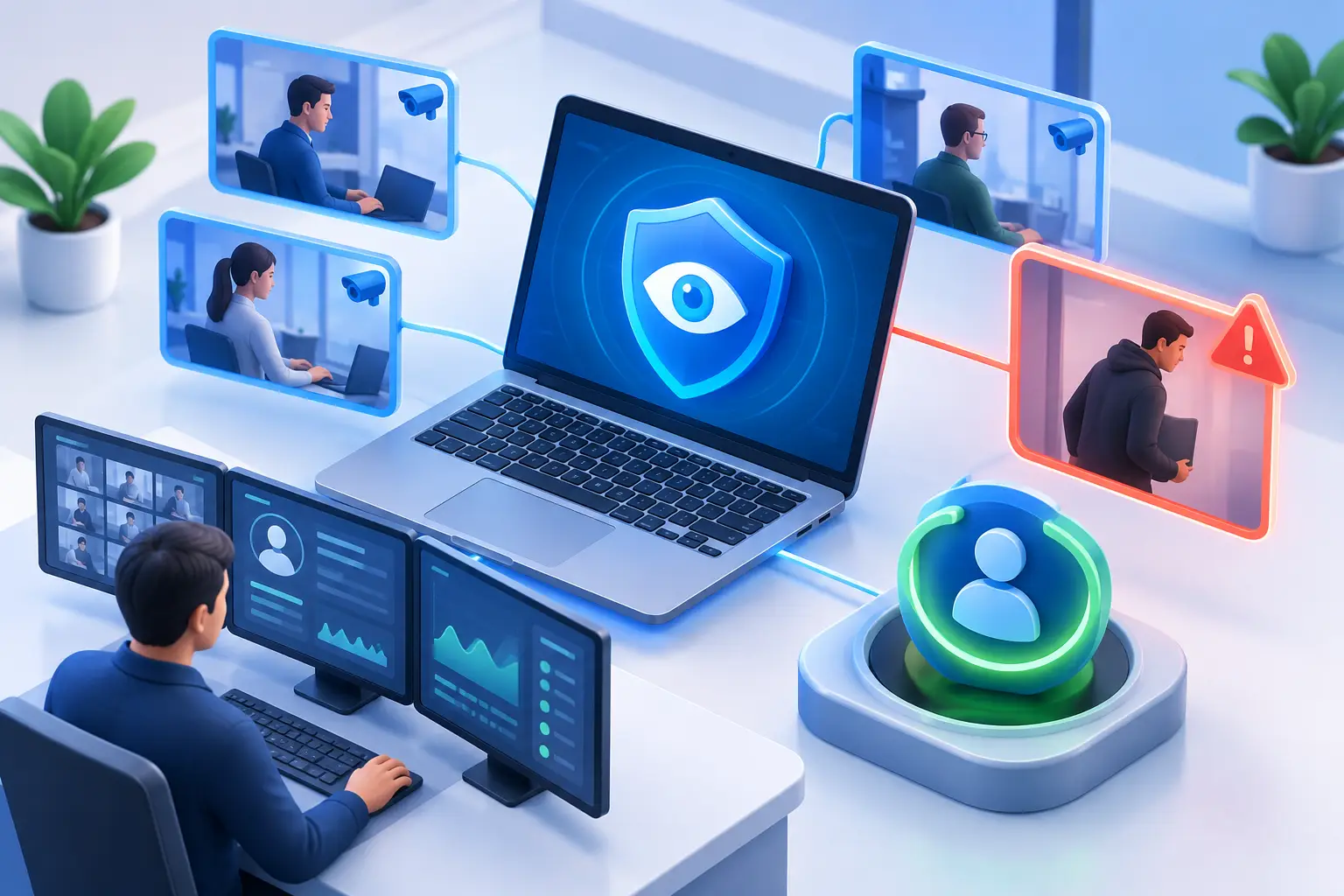
Insider threat monitoring software helps investigate misuse of legitimate access, whether deliberate or accidental. A visit to a personal cloud service is a lead; it is not proof that company data left the device. Effective review connects user activity with screen evidence and independent audit records before deciding what to preserve or restrict.
The most useful systems do more than count active minutes or produce a vague productivity score. They show what happened on a company computer, when it happened, and which user was involved. They also give administrators the ability to stop risky activity at the endpoint instead of waiting for an incident report.
01Evidence insider threat monitoring can provide
An insider threat can be intentional, careless, or simply the result of poor controls. A worker may try to steal data, but they may also reuse a weak password, install an unapproved tool, copy files to a USB device, or send sensitive information through a personal account. The result can be the same: lost data, interrupted operations, compliance exposure, and expensive investigation.
Effective monitoring software creates a reliable activity record across company-owned endpoints. For a small or midsize business, that record should be practical enough to use every day, not buried in a security dashboard that requires a specialist to interpret it.
02Watch for Behavior, Not Just Single Events
One unusual website visit does not automatically mean an employee is a threat. A useful insider-risk program looks for patterns: activity that conflicts with the user’s role, time of day, normal workload, or company policy.
For example, an employee in accounting may have a legitimate reason to use a banking portal, but not to install a remote access utility or repeatedly access file-sharing services that the company has not approved. A sales representative may need customer records, but large file transfers after hours or repeated copying of contacts before departure deserve review.
Monitoring data gives managers a factual starting point. Rather than confronting an employee based on suspicion, they can review the activity record, confirm the scope of the issue, and take an appropriate next step. That may be a coaching conversation, a permission change, a formal investigation, or immediate access restriction.
Key signals that require review
The most valuable alerts and reports focus on behavior that creates measurable business risk. Common examples include:
- Repeated access to personal email, consumer cloud storage, anonymous file-transfer tools, or unapproved messaging services
- Installation or execution of unauthorized software, especially remote-control, proxy, encryption, or data-sharing tools
- Unusual copying, moving, deleting, or transferring of business files
- Attempts to visit blocked websites, bypass web restrictions, or disable security and monitoring software
- Extended idle time, persistent non-work application use, or activity inconsistent with assigned duties
- Login and desktop activity at unusual times, especially when paired with sensitive file or system access
Context matters. A developer may legitimately run tools that would be unusual on a receptionist’s computer. A remote employee working across time zones may be active outside standard office hours. Configure reports and review procedures around job roles, approved software, and actual operating needs.
A manual triage worksheet for three warning signs
These are review scenarios, not claims of automatic detection. Assign a reviewer, record the source and time, and test a legitimate explanation first.
- Unusual cloud-storage visit: it may be an approved client exchange. The data owner checks authorization; security checks available destination records if sensitive files may have moved.
- Unapproved remote-access process: it may belong to an IT support session. IT verifies the executable, ticket, account, and session. Escalate an unexplained active connection through the incident procedure.
- After-hours activity: it may reflect a different time zone or maintenance. The manager confirms the schedule; IT checks the account/session. Time alone is not evidence of theft.
Keep accidental misuse, deliberate misuse, and a compromised account as different hypotheses. Record what would confirm or disprove each. Close a concern when the explanation is supported; preserve uncertainty when the necessary records are unavailable.
03Monitoring Must Lead to Action
Visibility without control leaves administrators reacting after a problem occurs. The strongest insider threat monitoring software combines evidence collection with endpoint administration tools that let IT act immediately.
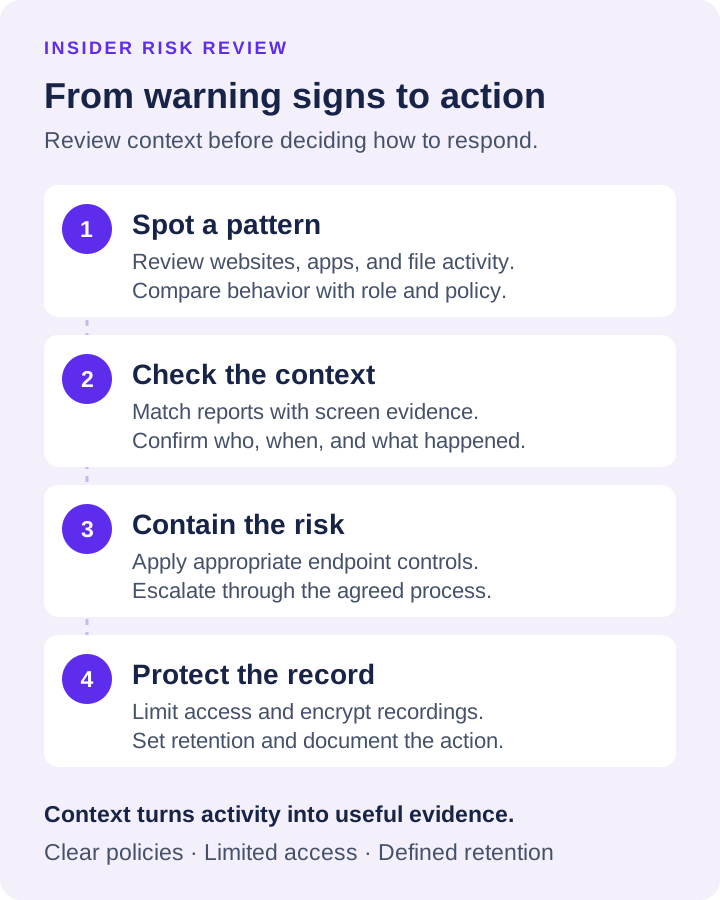
Containment should follow the incident plan. Use website controls with approved URL or keyword lists, or restrict an unapproved application. Coordinate account restrictions with the identity-system administrator. Preserve relevant evidence before disruptive changes where feasible, and record who authorized each action. Do not assume monitoring automatically categorizes sites or isolates a device from the network.
These actions reduce the time between detection and containment. That matters when data can be copied in minutes. It also reduces routine administrative work. Instead of walking to a desk or asking a remote employee to troubleshoot a problem, IT can manage the endpoint directly.
Net Monitor for Employees Pro supports this operational model by combining live screen viewing, desktop and audio recording, activity logs, reporting, website and application restrictions, and remote computer controls in one administrator-focused system. For a distributed team, that means the same level of oversight can extend beyond the office network to managed remote devices.
04Verify a signal before escalating
Use the worked evidence register for case documentation, data-breach prevention controls for unsafe sharing routes, and a clear monitoring policy for review boundaries. This guide's job is deciding which signal warrants which verification.
Build a timeline by user, computer, and time. A website log establishes a visit; a recording may show a selected file or upload window. Confirm completion and scope using the cloud service's audit log or separately configured file auditing. Keep verified facts, missing evidence, and hypotheses distinct in the incident record.
Protect the records themselves. Limit administrator access, use appropriate encryption where available, set retention periods, and remove recordings that no longer serve a legitimate business purpose. Monitoring data can help defend the company, but it also requires disciplined handling.
05Set Clear Rules Before You Monitor
Employee monitoring works best when it is part of a documented management process. Employees should understand that company-owned computers and accounts are for business use, that activity may be monitored, and that prohibited activities have consequences. Requirements vary by state, industry, collective bargaining agreement, and employee location, so businesses should have counsel review their policies before deployment.
Avoid treating every employee as an investigation target. Use monitoring proportionately. Give managers access to the reports they need for their teams, reserve sensitive records for authorized personnel, and investigate exceptions based on evidence. Overcollection creates administrative burden and can distract from the real risks.
06Start With the Computers That Matter Most
A full deployment does not have to begin across every device. Start with endpoints that handle customer data, financial information, intellectual property, administrative credentials, or high-value operational systems. Establish approved applications and websites, configure the reports that managers will actually review, and test the response process for a policy violation.
Then expand coverage to remote and hybrid staff, where direct visibility is often weakest. A practical trial is the fastest way to determine whether screen views, recordings, reports, and remote controls fit the way your managers and IT staff work. Download the free trial, test it against real workflows, and make sure the evidence is clear enough to support a decision when it matters.
The goal is not to watch every second of every day. It is to make company computers accountable, give managers facts instead of guesses, and ensure that risky activity can be stopped before it becomes a costly business problem.